

Create Vertx Application
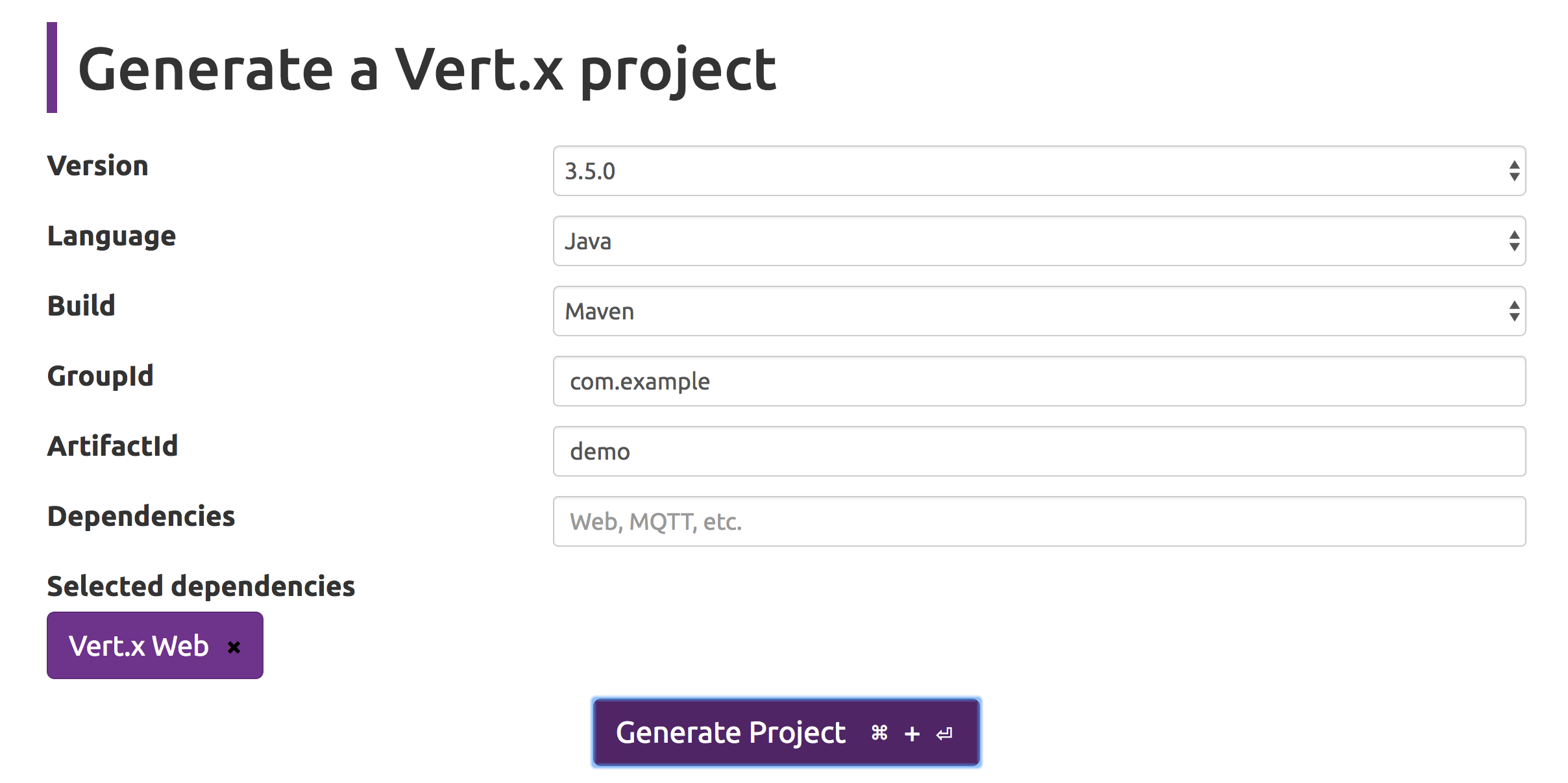
Download vertx starter template from this link as shown in the image below
Main Verticle
In the main verticle get an instance of router and create a new endpoint to be handled by a vertx handler eg MessageHandler.
To leverage the benefits of the vertx application, code written has to be non blocking. Blocking or Time Consuming code can be executed with the help of worker verticle. So we will deploy the Google Pub Sub Message Processor as a worker verticle. Create new DeploymentOptions and set the worker as true. Configuration options can also be provided to the deploymentOptions. Configuration will be in the form of a json which can provided by local Json Object or the Json Object obtained from the application configuration. Configuration for Google Pub Sub may contain the topic that you are subscribing to, the path of the Google Pub Sub Credentials etc. Google credentails can be obtained by following the steps given here. Place the google credentails file within the config folder in the src directory. Create a simple HTTPServer with router accepting the request.
1public class MainVerticle extends AbstractVerticle {
2
3  private JsonObject appConfig;
4
5  @Override
6  public void start() throws Exception {
7
8    // get application config
9    appConfig = config();
10
11    // get router and set the endpoints
12    Router router = Router.router(vertx);
13    router.get("/sendpubsubmessage").handler(new MessageHandler(vertx));
14
15    // set config for worker verticle
16    JsonObject pubsubConfig = new JsonObject();
17    pubsubConfig.put("topic", "your_topic");
18    pubsubConfig.put("credentialsPath","path/to/credentials.json");
19
20    // deploy worker verticle
21    DeploymentOptions pubsubOptions =  new DeploymentOptions().setWorker(true).setConfig(pubsubConfig);
22      vertx.deployVerticle("com.example.demo.PubSubMessageProcessor", pubsubOptions);
23
24    // start http server
25    vertx.createHttpServer().requestHandler(req -> {
26        try {
27            router.accept(req);
28        } catch(Throwable th) {
29            req.response().setStatusCode(400).end(th.getMessage());
30        }
31    }).listen(8080);
32
33  }
34}
Message Handler
Create a simple message handler. Get the message to be sent to google pub sub from the parameter in the request and send it as json object in the eventbus. The send method takes the address and message as the arguments. Address can be simple string
1public class MessageHandler implements Handler<RoutingContext> {
2
3  private Vertx vertx;
4
5  // constructor
6  public MessageHandler(Vertx vertx) {
7    this.vertx = vertx;
8  }
9
10  // send message to verticle via eventbus
11  @Override
12  public void handle(RoutingContext event) {
13    JsonObject message = new JsonObject();
14    String value = event.request().params().get("message");
15    message.put("key", value);
16    vertx.eventBus().send("pubsub", message);
17  }
18
19}
Add Dependency
Add the following maven dependency to the pom.xml file:
1<dependency>
2  <groupId>com.google.protobuf</groupId>
3  <artifactId>protobuf-java</artifactId>
4  <version>3.5.1</version>
5</dependency>
6
7<dependency>
8  <groupId>com.google.cloud</groupId>
9  <artifactId>google-cloud-pubsub</artifactId>
10  <version>1.31.0</version>
11</dependency>
PubSub Message Processor
Configure the publisher client for Google Pub Sub with the credentails and build it. Register the event bus with same address given in the message handler.
1public class PubSubMessageProcessor extends AbstractVerticle {
2
3    private JsonObject pubsubConfig;
4    private Publisher client;
5
6    @Override
7    public void start() throws Exception
8    {
9        pubsubConfig = config();
10        client = createClient();
11
12        // register handler
13        EventBus eb = vertx.eventBus();
14        eb.consumer("pubsub", jsonObjectMessage -> {
15            sendMessageToPubSub(jsonObjectMessage);
16        });
17    }
18
19    private void sendMessageToPubSub(Message<Object> jsonObjectMessage) {
20        ByteString data = ByteString.copyFromUtf8(jsonObjectMessage.body().toString());
21        PubsubMessage pubsubMessage = PubsubMessage.newBuilder().setData(data).build();
22        client.publish(pubsubMessage);
23
24    }
25
26    // get publisher client
27    private  Publisher createClient() throws Exception  {
28        GoogleCredentials credentials  = GoogleCredentials.fromStream(new FileInputStream(pubsubConfig.getString("credentialsPath")));
29        return Publisher.newBuilder(pubsubConfig.getString("topic")).setCredentialsProvider(FixedCredentialsProvider.create(credentials))
30          .build();
31
32    }
33
34}
Google Pub Sub with Vertx Application is now configured
Compilation and Start Server
mvn clean compile package
java -jar target/demo-1.0.0-SNAPSHOT-fat.jar com.example.demo.MainVerticle
Full Code can be found here